- Kenji Morgan
- Publish Smart
- <25
- 0
Somewhere in your home there is a drawer, a folder, or a dusty hard drive with a manuscript inside. Maybe it is finished. Maybe it is two thirds done and quietly judging you every time you walk past. You wrote it, you believed in it, and then life, doubt, or a pile of confusing publishing advice got in the way.
Here is the good news: that manuscript is not dead. Learning how to self-publish a book is a skill you can pick up in a few focused weeks, and more authors than ever are doing it on their own terms.
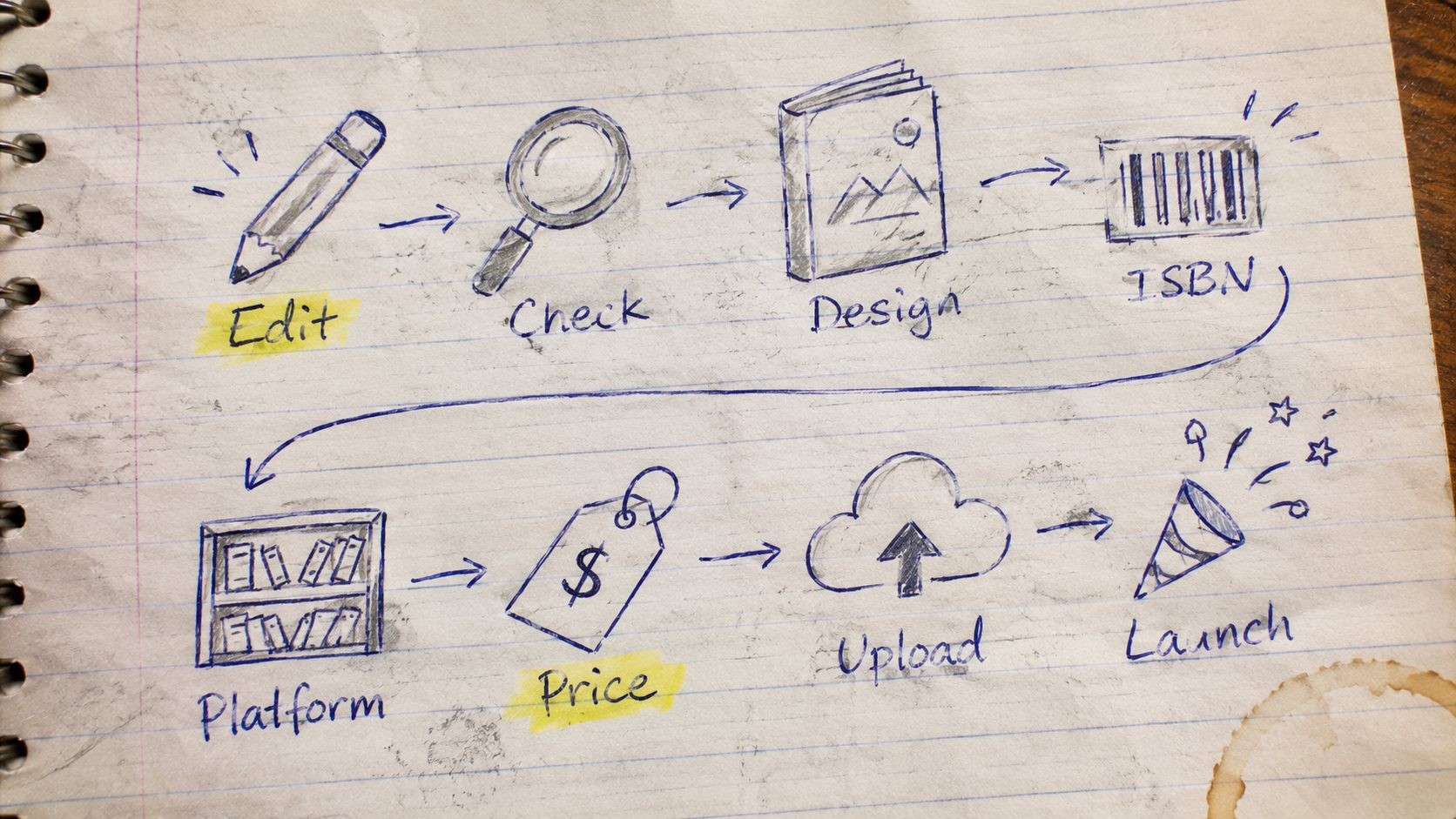
In short, to self-publish a book you finish and edit the manuscript, design the cover and interior, set up your ISBN and metadata, choose platforms such as Amazon KDP and Ingram Spark, set a price, upload and proof the book, and then launch it with a real plan.
This guide walks through all eight steps for authors in the United States. You will see real cost ranges, the legal basics most guides skip, a simple platform comparison, and a checklist you can copy into your notes app. There is no jargon for its own sake and no pressure to buy anything.
Whether you wrote a memoir, a children's story, a business book, or a novel, you can take it from the drawer to a reader's hands. Let's start with the question that comes first.
Is self-publishing the right path for you?
Self-publishing means you act as the publisher. You keep your rights, you decide the cover and the price, and you earn a larger share of every sale. In exchange, you pay for production yourself and you handle the marketing, or you hire people to help.
Here is how the three main routes compare:
- Traditional publishing: A publisher pays you an advance and handles production and distribution. You usually need a literary agent, the wait can last years, and you give up most creative control and a large share of royalties.
- Self-publishing: You control everything and can publish in weeks. You also carry the upfront costs and the marketing work.
- Hybrid publishing: You pay a company to produce the book while keeping more control than you would with a traditional deal. Quality and fairness vary a lot, so the contract matters.
If you want a deeper comparison, read our guide to traditional, self or hybrid publishing.
Be honest about the money from the start. One industry guide puts the average self-publishing spend at roughly $2,800 to $5,300, mostly for editing, design, and marketing. You can spend less, but it helps to go in with open eyes.
Ask yourself three questions. Do I want control over my cover, price, and timeline? Can I fund editing and a professional-looking cover? Am I ready to market this book myself? Three yeses mean self-publishing is a strong fit.
Step 1: Get your manuscript ready
Before anything else, make sure the book is actually finished. That means a complete draft that you have taken through at least one full self-edit. Not perfect. Complete.
Next, look at your book through a reader's eyes. Open Amazon, find your category, and study the top 20 books. Notice the typical length, the cover style, the subtitle pattern, and the price. You are not copying anyone. You are learning what your future readers already expect, so your book feels familiar enough to trust and fresh enough to pick up.
Then do a self-edit pass with this short list:
- Read the whole thing aloud and mark every place you stumble.
- Cut repeated words, filler phrases, and sections that do not move the book forward.
- Check names, dates, and facts for consistency.
- Tighten the first page of every chapter.
- Fact-check every claim in nonfiction, including statistics and quotes.
Finally, recruit three to five beta readers from your target audience. Skip "Did you like it?" and ask three specific questions instead. Where did you get bored? What confused you? What would you tell a friend about this book?
Take their feedback in one sitting and look for patterns. If three people stumble in the same chapter, that chapter needs work, no matter how much you love it.
Quick readiness check: Is the draft complete? Have you self-edited it once? Do you know your genre or category? Have at least three people outside your family read it? Do you know exactly who the book is for? Five yes answers mean you are ready for Step 2.
Step 2: Edit it properly
Editing is the step that separates a book that feels professional from one that feels like a draft. There are three layers, and each one fixes a different problem.
- Developmental editing looks at the big picture: structure, pacing, argument, plot, and character.
- Copyediting works line by line on grammar, punctuation, consistency, and style.
- Proofreading is the final safety net that catches typos after the book has been laid out.
The usual order is developmental first, then copyediting, then proofreading. Each pass builds on the last, so skipping the first one will not rescue a weak structure.
What does it cost? One industry guide estimates roughly $1,000 to $2,000 for most editing services on a 60,000-word book, though rates vary by genre, length, and the editor's experience. If your budget is tight, do a copyedit and a proofread at a minimum. Skipping editing altogether is a quick way to collect one-star reviews that mention typos, and those reviews stay attached to your book for years.
Before you hire anyone, vet them:
- Ask for a paid sample edit on a few pages.
- Request two references from past authors.
- Get a written scope covering word count, number of passes, and turnaround time.
- Ask how revisions are handled.
If you write in the United States, ask your editor to follow US spelling and the Chicago Manual of Style, the standard reference for American book publishing. Ask for a style sheet at the end, so your proofreader and future books stay consistent. Good editors book out weeks or months ahead, so reach out early.
Step 3: Design the cover and interior
Readers do judge a book by its cover, especially online, where the cover shows up as a tiny thumbnail. A good cover signals the genre at a glance, stays readable when small, and looks like it belongs next to the bestsellers in your category.
Try this thumbnail test. Shrink your cover to about one inch wide. Can you still read the title? Is the genre clear? Does the image have enough contrast to stand out? If any answer is no, keep refining.
Plan the full wrap for print: front, spine, and back cover, including the back cover description, author bio, and barcode. If you publish with print on demand, leave the price off the cover, since the book will sell in several currencies and prices change over time.
One industry guide puts a professional cover at roughly $500 to $800. You can design it yourself with free templates, but follow each platform's size rules exactly, because spine width depends on page count and paper type.
Now the inside. Pick a trim size, which is the physical dimension of the page. Many paperbacks use 5 x 8 or 6 x 9 inches, so measure a few books on your shelf and see what feels right in your hand. Choose white or cream paper, keep margins generous, and make chapter headings, page numbers, and fonts consistent from start to finish.
You will need two files: an EPUB for the ebook and a print-ready PDF for the paperback. Free formatting tools can produce both. For complex layouts such as cookbooks, a designer may cost about $250 to $750.
Whatever route you choose, give the cover and interior the same care you gave the words.
Step 4: Set up your metadata, ISBN, and copyright
Metadata is the information that tells stores and search engines what your book is. Get it right and the right readers find you.
Title and subtitle. For nonfiction, use the subtitle to name the problem your book solves, in the words a reader would type into a search box.
Description. Aim for 150 to 300 words: a hook, three to five benefits or story teasers, and a closing line that invites the reader to buy. Write it for the reader, not for yourself, and put your strongest line first, because many stores show only the first few lines.
Categories and keywords. Pick BISAC categories, the standard subject codes retailers use, and fill the keyword slots with phrases that are not already in your title. Check the current limits inside your KDP dashboard.
ISBN. An ISBN identifies a specific edition of your book. Kindle ebooks do not need one, but print books do, and each format (paperback, hardcover, ebook) needs its own. In the US, ISBNs are sold by Bowker, which has listed $125 for a single ISBN and $295 for a pack of ten, so confirm current pricing before you buy. KDP offers a free ISBN, but it can only be used on KDP print books and shows "Independently published" as the imprint. If you want full control across every store, buy your own ISBN from Bowker.
Copyright. Your copyright exists the moment you write the book. Registration is optional, but you generally need a registration on file before you can sue for infringement in US federal court, and it strengthens your legal remedies. To get that protection, register your copyright with the US Copyright Office and check the current filing fee on the site.
Publisher name. Listing "Independently published" can look unpolished, so many authors create an imprint name for their books. An LLC is optional, and it is worth a short talk with a business adviser if you plan to publish several books.
Step 5: Choose your formats and platforms
Most authors start with an ebook and a paperback. Hardcovers and audiobooks can come later, once you know the book sells.
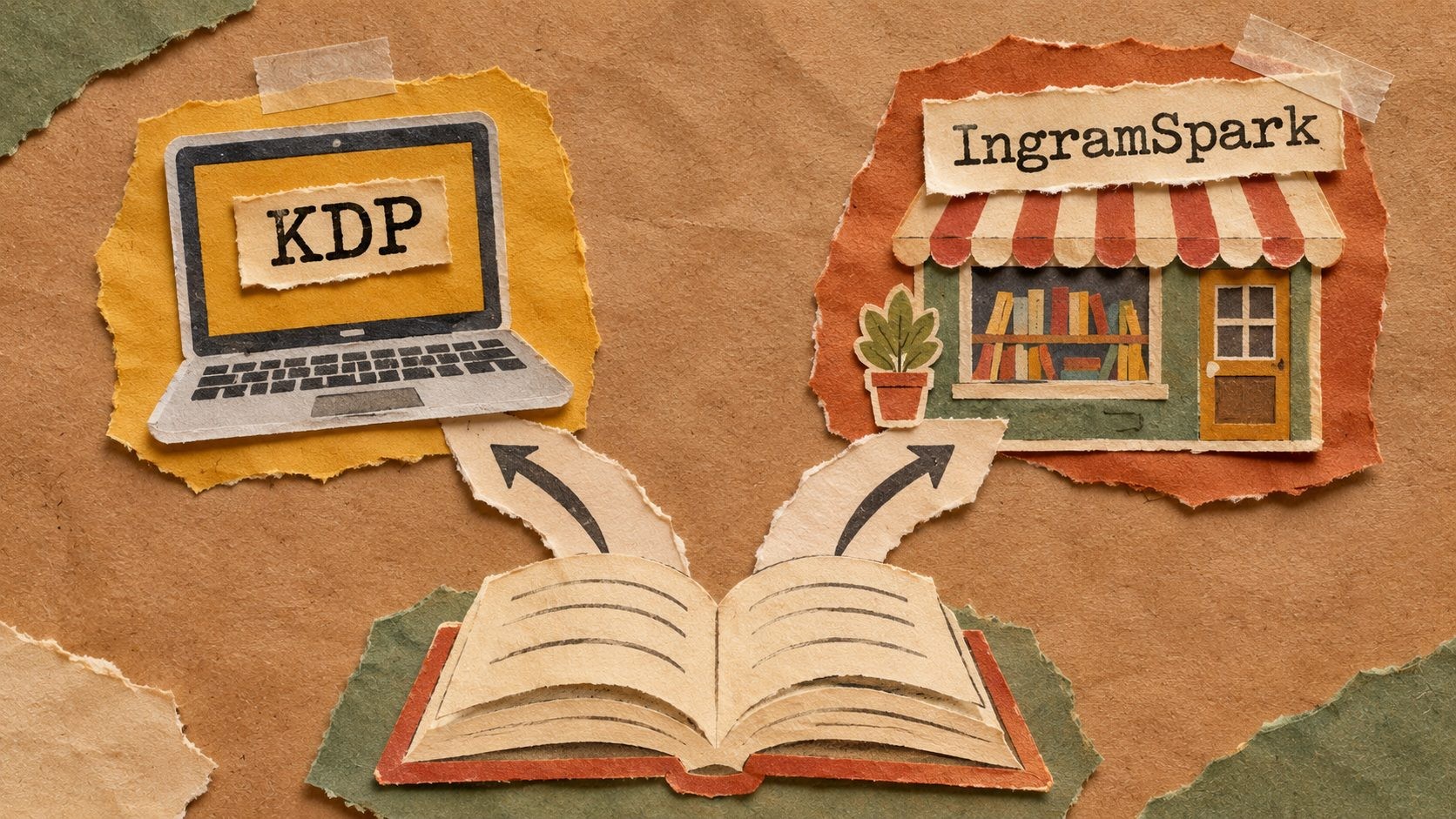
Next, choose where to sell. Here is a simple comparison:
| Platform | Best for | Cost to start | The catch |
|---|---|---|---|
| Amazon KDP | Biggest reach for ebooks and print | Free to publish, print cost comes out of sales | Amazon-centered, and KDP Select ebooks require exclusivity |
| IngramSpark | Bookstore and library distribution | Check current setup and revision fees | More setup and a steeper learning curve |
| Aggregators such as Draft2Digital | Ebooks in many stores from one upload | Often free upfront | Takes a percentage of your sales |
| Direct stores (Kobo, Apple Books, Barnes & Noble Press) | Keeping the largest share of ebook sales | Free | One account to manage per store |
Most debut authors do well starting with Amazon KDP, because that is where most readers shop. KDP also offers print on demand, which means no inventory: a copy is printed only when someone orders it, and the printing cost comes out of your royalty.
Then comes the choice that trips up many authors: going wide or staying exclusive. KDP Select gives you extra promotional tools for ebooks in exchange for selling that ebook only on Amazon for a set period. Going wide means selling everywhere, which can reach more readers but takes more setup.
A practical path for many first-time authors is to publish on KDP first, then add IngramSpark when you want your paperback to be orderable by bookstores and libraries.
To see what happens after you upload, read how a self-published book actually reaches readers.
Step 6: Price your book and understand royalties
Pricing is part math and part psychology. Price too high and readers hesitate. Price too low and your book can look like it is not worth their time.
Start with research. Look at the price of comparable books in your genre, and give extra weight to successful independent authors, since big publishers often price ebooks differently to protect print sales.
Then learn the royalty rules, because they shape your price. KDP pays its higher ebook royalty rate only when your price falls inside a set band, and a lower rate outside it. Sources disagree on the top of that band, so check the current numbers on KDP's help pages before you set your price. For print, your royalty is a share of the list price after the printing cost is taken out. That printing cost is a fixed amount per copy, which means a small price change can swing your earnings more than you expect.
Try this worked example. Open KDP's royalty calculator, enter your page count and trim size, and compare a list price of $12.99 with $15.99. Write down what you would earn per copy at each price. Most authors are surprised by the gap, and it is the fastest way to see why pricing a paperback too low can leave you with almost nothing.
A short launch promotion, such as a 99-cent ebook for a few days, can boost visibility. If you plan a series, staircase pricing works well: a low price on book one, then higher prices as readers get invested. You can change your price at any time, so revisit it every few months as reviews and sales come in.
Step 7: Upload, order a proof, and publish
You have done the hard part. Now it is setup.
Create your KDP account with your Amazon login and complete the tax interview. US authors fill out a W-9 so Amazon can pay you and report your income correctly. It is a short form, and it is perfectly normal.
Next, enter your metadata, upload your manuscript and cover files, and use the online previewer to check how the pages look. Set your price, choose your territories, and pick a release option. A pre-order gives you time to build buzz, while an immediate release puts the book live as soon as the platform approves it. Reviews usually take a few days, and KDP's help pages list the current timeframe.
There is no fee to upload on KDP. For print books, the printing cost comes out of each sale.
Before you click publish on a paperback, order a printed proof. Hold it in your hands and check six things:
- Cover colors and spine alignment
- Margins and text near the page edges
- Page order and numbering
- Headers, footers, and chapter starts
- Image quality, if your book has images
- One last read for typos
It is far cheaper to fix a problem now than after readers find it. Once you publish, keep your final files, account details, and ISBN records in one safe folder, so future editions and reprints are easy.
Step 8: Launch and market your book
Publishing is not the finish line. The first few weeks matter a lot, because early sales and reviews tell retailers your book deserves attention. Start planning weeks before launch day.
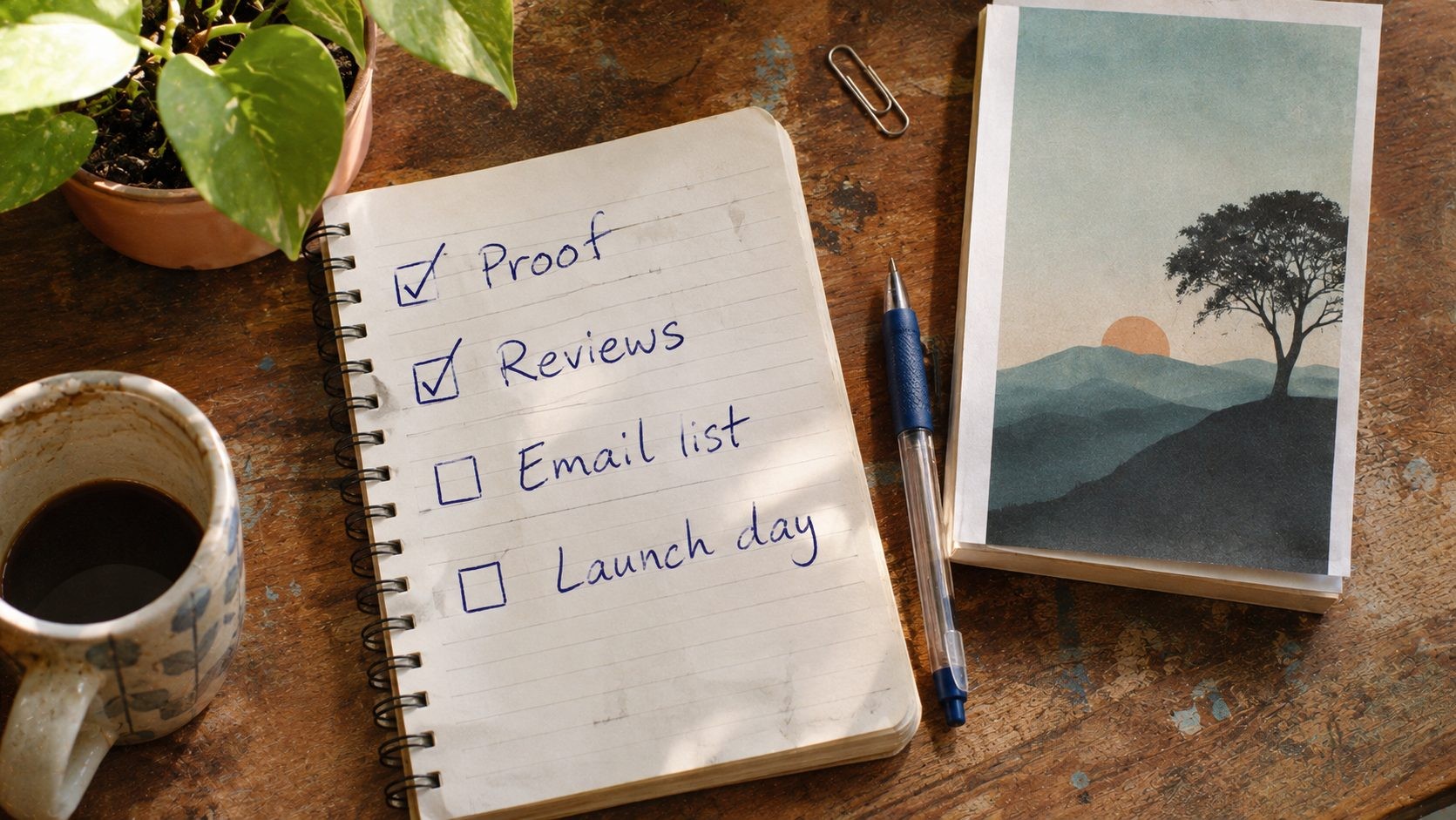
Before launch. Set up a simple author website with your bio, book description, and buy links. Start an email list, even if it begins with ten friends. Line up advance readers who will read early and post honest reviews in launch week. Plan a cover reveal to build excitement.
Launch week. Ask your advance readers to post reviews, announce the book on social media, send your email list a personal note, and reach out to local newspapers, libraries, and independent bookstores. Never buy fake reviews. Platforms remove them, and readers can spot them.
After launch. Track what works. Test one type of ad at a time, keep your newsletter going, and begin your next book, because readers who enjoy one book often buy another.
Keep it sustainable. You do not need to be everywhere. Pick two channels you actually enjoy, such as an email newsletter and one social platform, and show up there regularly. Share the story behind the book, the problem it solves, and small behind-the-scenes moments. Readers connect with a real person more than with a sales pitch, and steady effort over months beats one loud launch week.
Picture a first-time memoirist (a composite example, not a real person) who sends her book to eight advance readers three weeks early. On launch day, five of them post reviews, her email list of 60 people buys copies, and a local library invites her to speak. None of it was luck. It was a plan, started early.
Here is a 12-point launch checklist you can copy:
- Final proof approved
- Metadata and categories checked
- Price and release date set
- Author website live
- Email list set up
- Advance readers chosen
- Review request message ready
- Social posts scheduled
- Local media and library list built
- Launch promotion planned
- Goodreads author profile claimed
- Next-book plan started
What it costs and when to get professional help
Here is a rough picture of what authors spend, based on figures from one 2026 industry guide. Treat them as ranges, not quotes.
- Editing: about $1,000 to $2,000 for a 60,000-word book
- Cover design: about $500 to $800
- Interior design for complex layouts: about $250 to $750
- ISBN: about $125 for one, or $295 for ten
- Proof copies: the printing cost plus shipping
- Marketing: from almost nothing to whatever you choose to spend
Together, that guide puts the typical total at roughly $2,800 to $5,300.
What can you do yourself? Formatting with free tools and handling the upload are very doable. What is worth paying for? Editing and cover design, because those are the two things readers notice first.
If you would rather have a team handle editing, design, formatting, and uploading, The World Publishing Company self-publishing services is one option to compare. Whoever you consider, ask for a written scope of work, a clear price list, and a straight answer on who owns the files and rights.
Watch for red flags: upfront "distribution" fees that promise a lot and explain little, contracts that take your rights, and pressure to buy extra packages quickly. A reputable service answers your questions plainly.
Frequently asked questions
How do I self-publish a book step by step?
Finish and edit your manuscript, design the cover and interior, get an ISBN and metadata, choose platforms like KDP and IngramSpark, set a price, upload and order a proof, then launch and market the book.
How much does it cost to self-publish a book?
Costs range from near zero for a do-it-yourself book to several thousand dollars. One 2026 guide puts the average at $2,800 to $5,300, driven mostly by editing and cover design.
Can I self-publish a book for free?
Yes. Amazon KDP charges no upload fee and deducts printing cost from each print sale. Editing, cover design, and marketing cost money unless you do them yourself, so "free" really means no required platform fee.
Do I need an ISBN to self-publish a book?
Kindle ebooks do not need one, but print books do. KDP offers a free ISBN with distribution limits. Buying your own from Bowker lets you list yourself as the publisher and use it across platforms.
Is it worth self-publishing a book?
It is worth it if you want control, higher royalties, and speed, and you will invest in editing, a cover, and marketing. It is a weaker fit if you want an advance and a publisher's sales team.
How do I self-publish a book on Amazon?
Create a KDP account, complete the tax interview, enter your metadata, upload the manuscript and cover, preview the book, set territories and price, then publish. Order a printed proof first for paperbacks.
How long does it take to self-publish a book?
After the manuscript is done, plan about four months for editing and design, since professionals book out ahead. The upload and platform review usually take days, and KDP lists the current review time.
Do I need to copyright my book before self-publishing?
Your copyright begins when you write the book. Registering with the US Copyright Office is optional, but it is required before you can sue for infringement and strengthens your legal remedies.
Your manuscript is ready for its next chapter
That manuscript in the drawer has everything it needs to become a real book: a finished draft, a good editor, a cover that fits, the right setup, a smart price, and a launch plan. Eight steps, taken one at a time.
You do not have to do all of them this week. Pick one action for today. Finish your self-edit. Email two editors for quotes. Ask a designer for a cover estimate. Small steps are how drawers get emptied.
And if you want a hand along the way, The World Publishing Company offers self-publishing support for authors who would rather not go it alone.
Now go open that drawer.
No Tags

Comments (0)